Uploading photos
Share photos of your plants with the community, linked to the right species, cultivar or hybrid.
Step 1
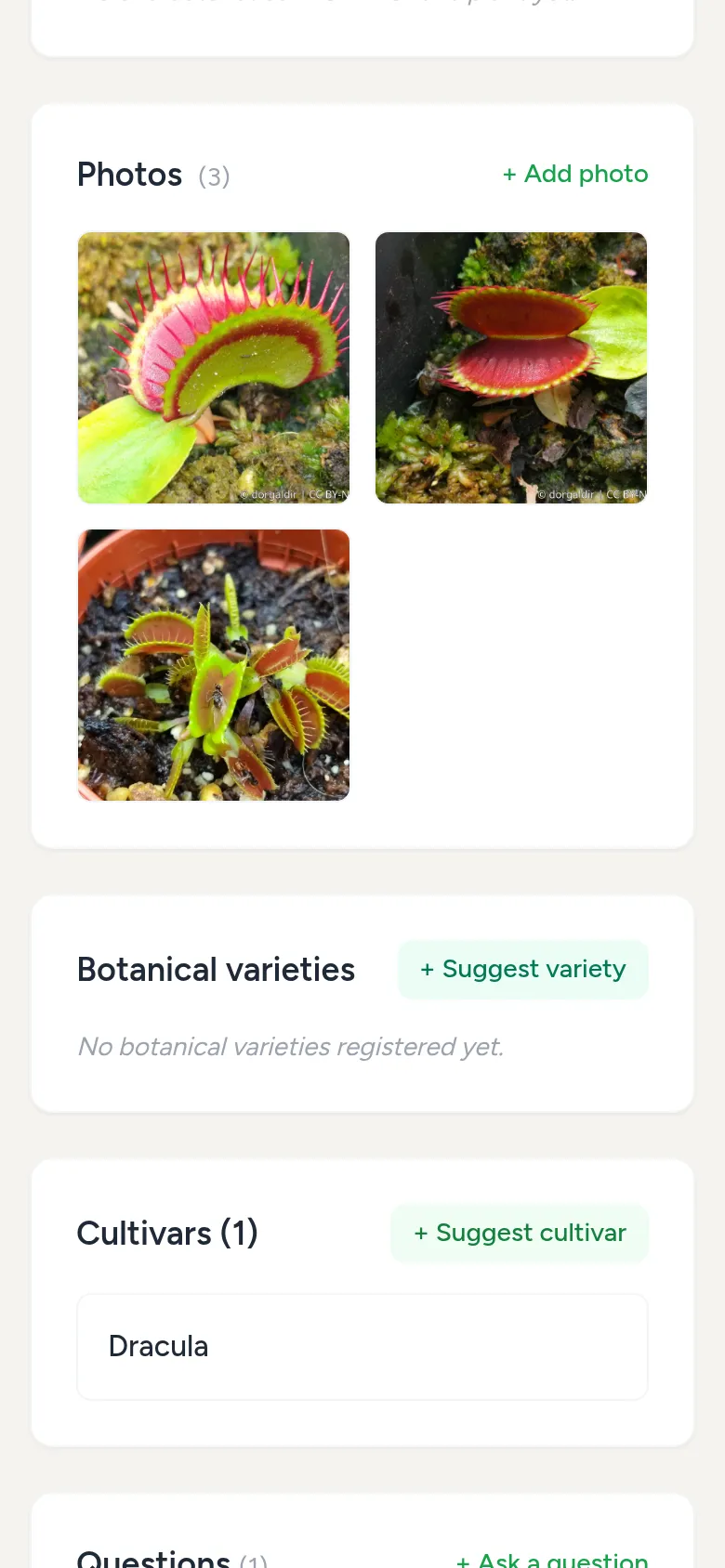
Add a photo
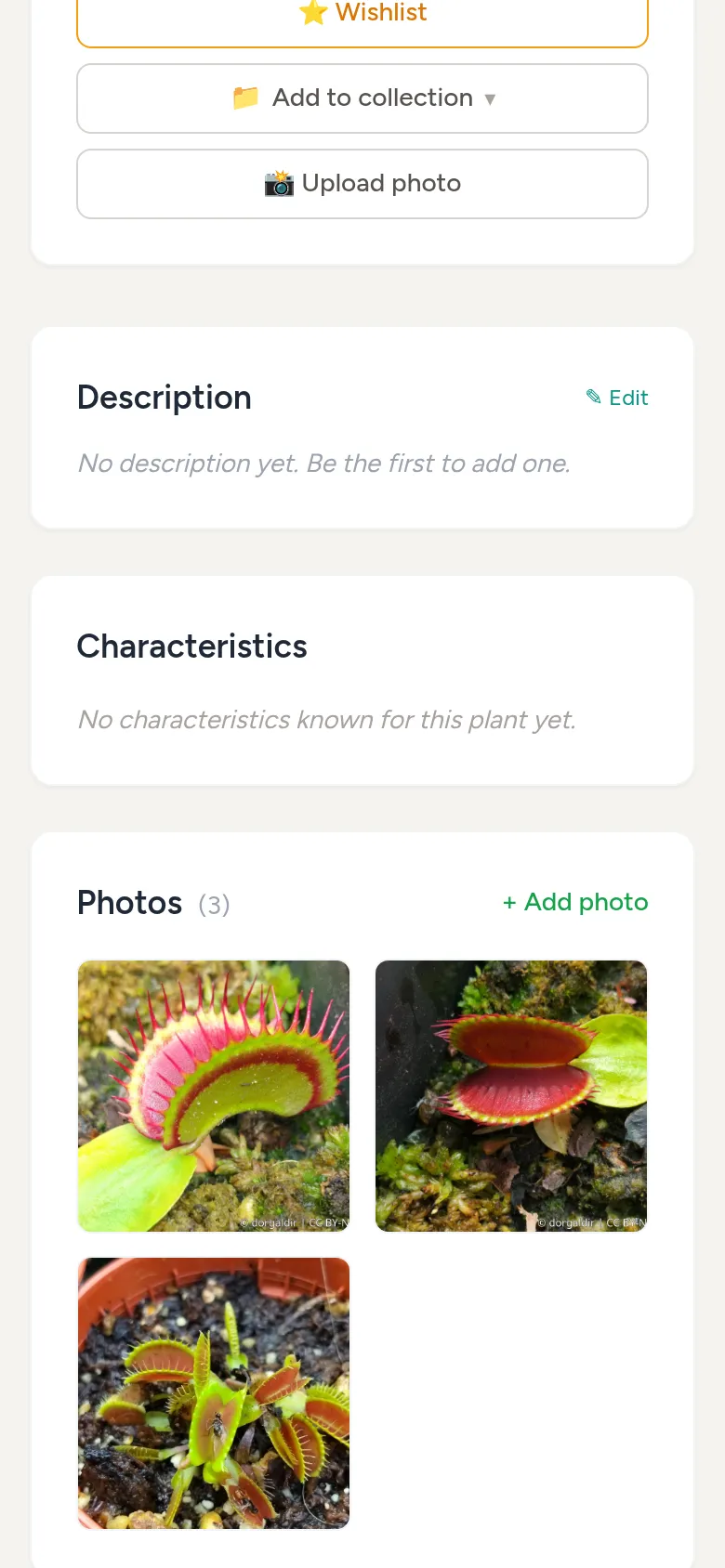
On the page of a plant, cultivar or hybrid, choose Upload photo. The photo is then linked to that plant right away.
Step 2
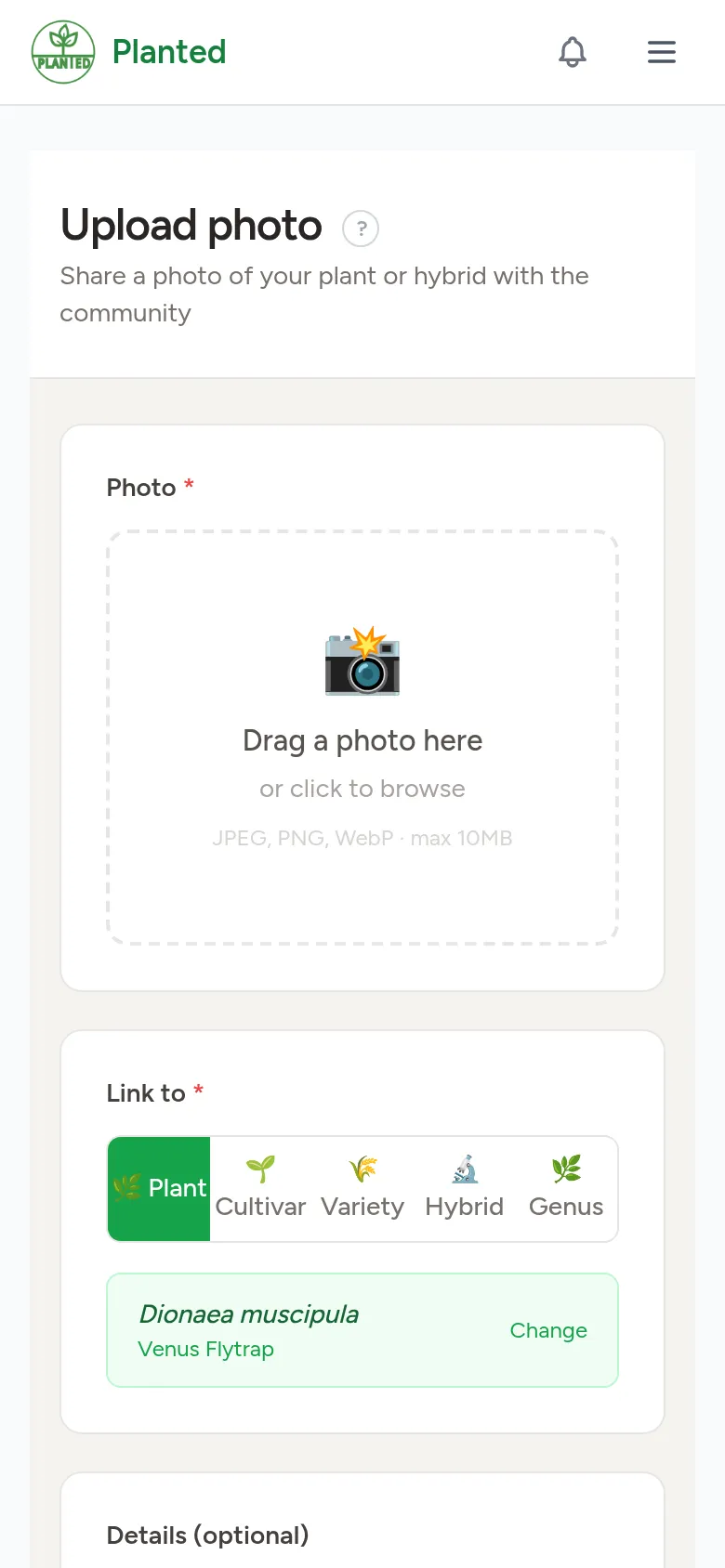
Fill in the form
Drag a photo into the box or click to choose one (JPEG, PNG or WebP, up to 10 MB). Under Link to you choose the plant, cultivar, hybrid, variety or genus. A title, a description, the date and whether it is the first flowering are optional.
Step 3
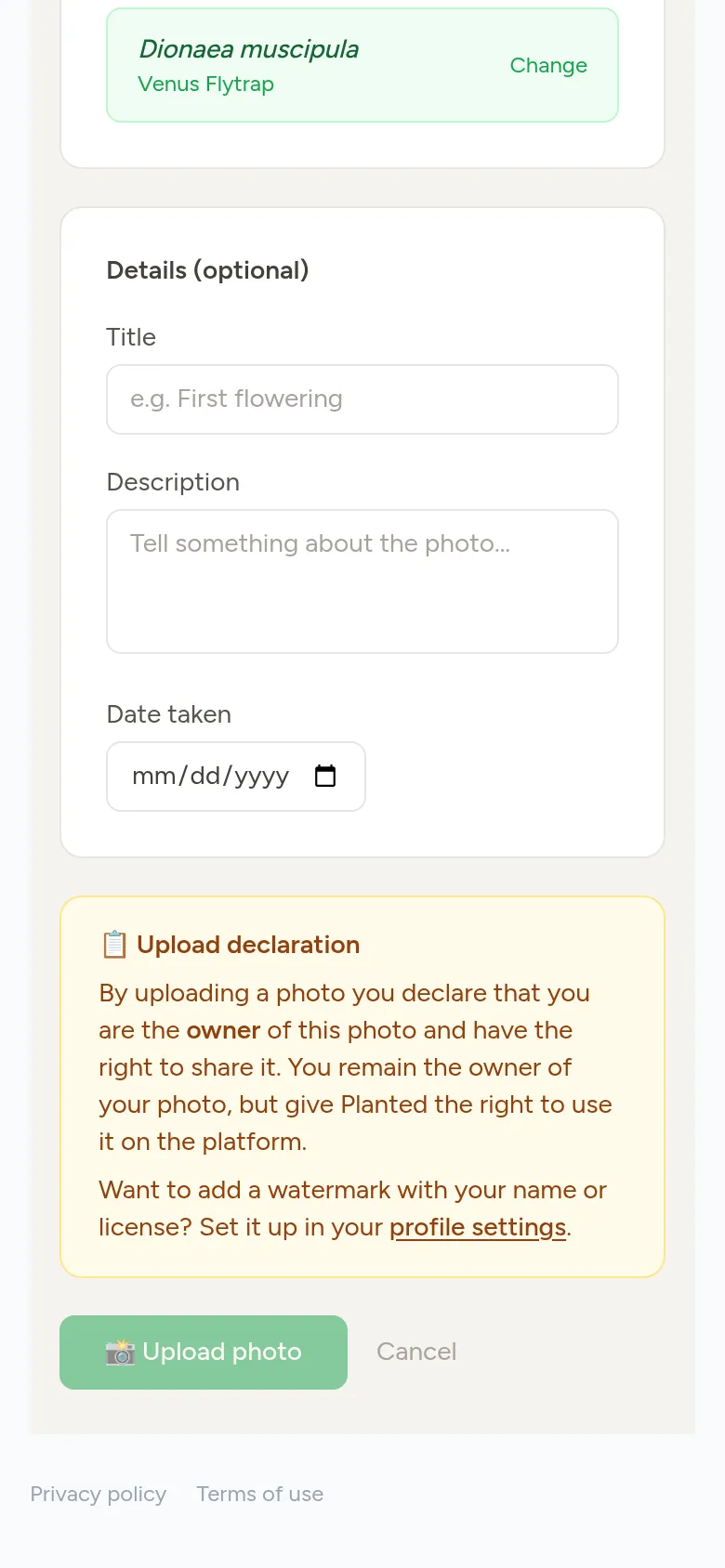
Ownership and watermark
By uploading you declare that the photo is yours. You remain the owner, and Planted may show the photo on the platform. Want your name or a licence on the photo? Set up a watermark on your Profile.
Step 4
Votes and your own photos
Others can vote on your photo; the most popular photo is shown at the top of the plant page. All your photos are also on your profile page.