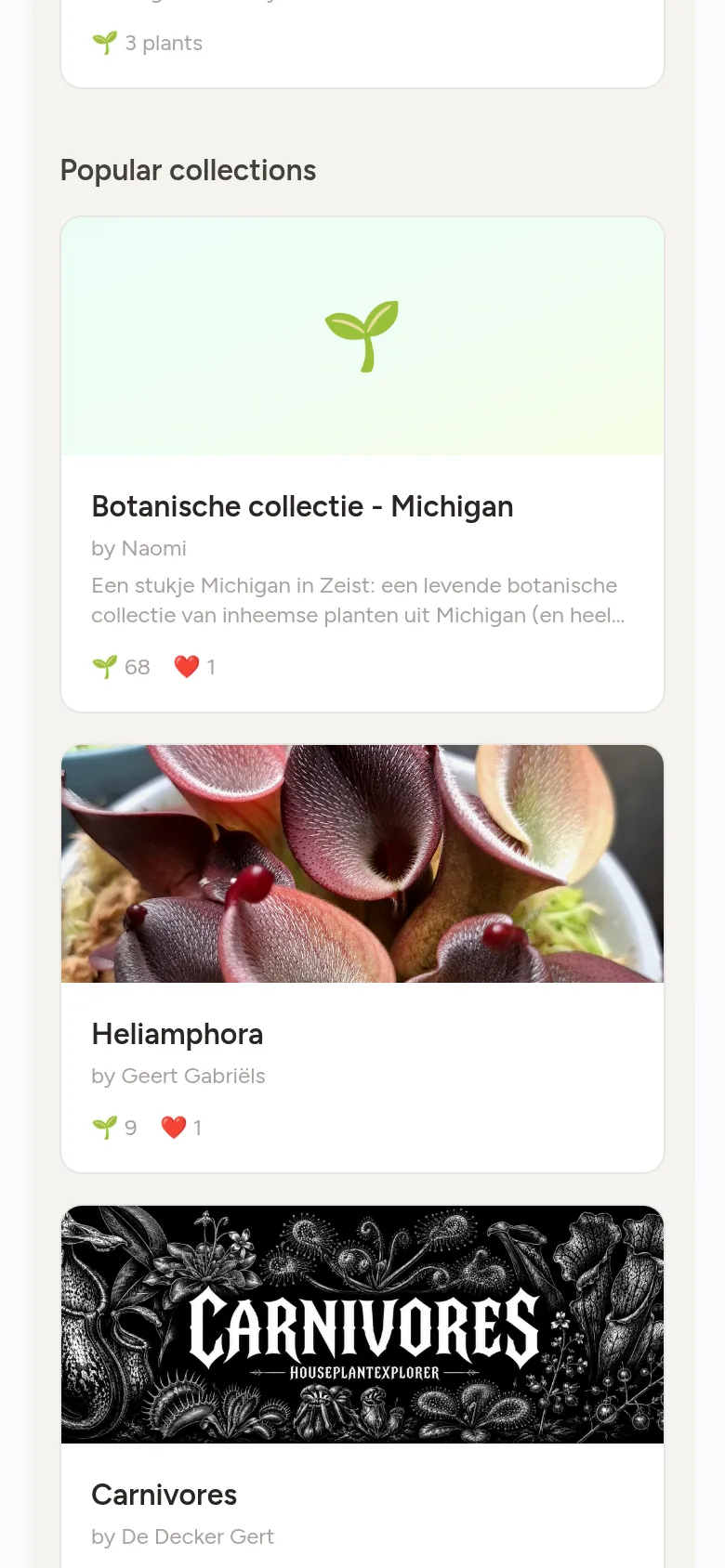
Creating collections
Group plants by theme, for example per room, per family or to swap, and share them with others.
Step 1
Create a collection
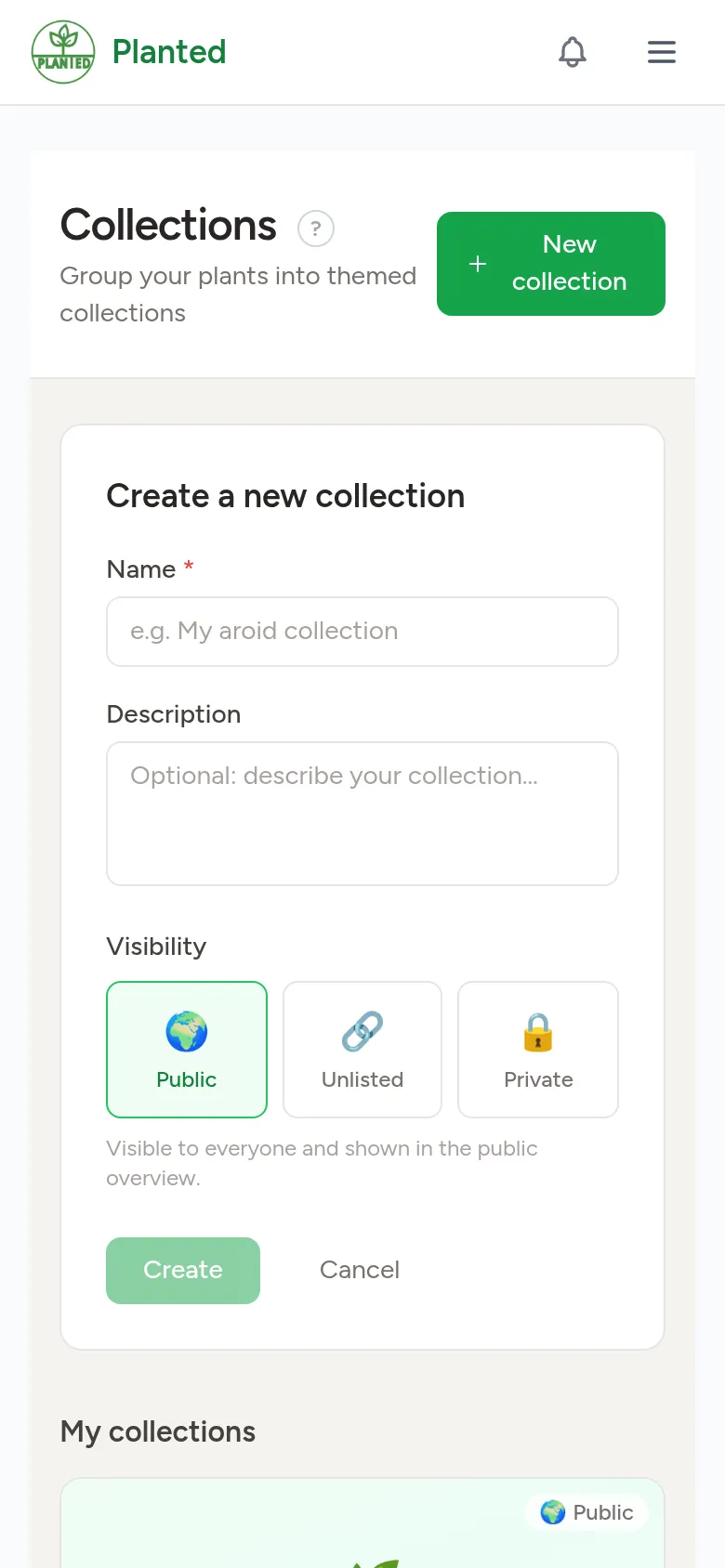
Open Collections and choose New collection. Give it a name and optionally a description, and choose the visibility: Public (for everyone and in the overview), Unlisted (only via the link) or Private (only for you).
Step 2
Add plants
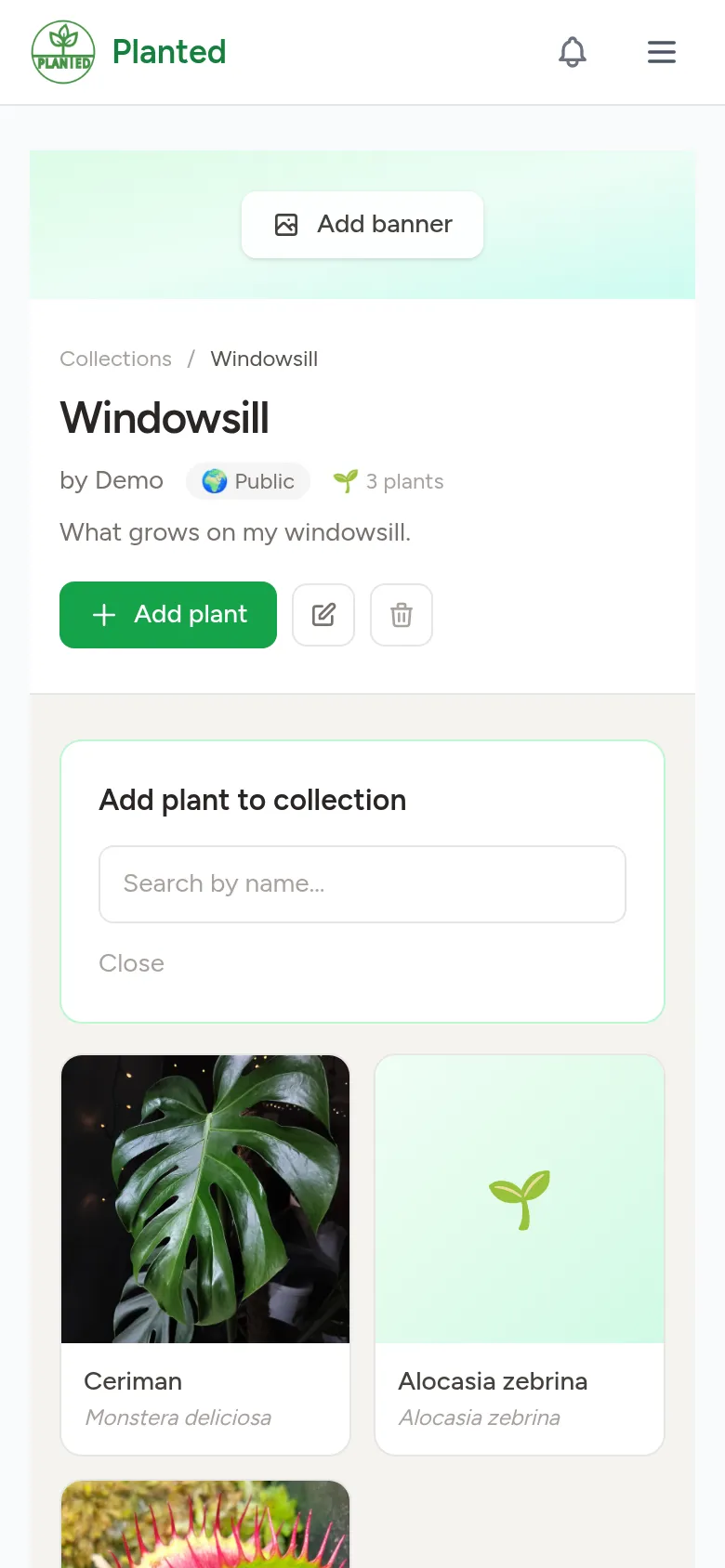
On the page of your collection, choose Add plant and search for a plant, cultivar or hybrid. You can also choose Add to collection on a plant page.
Step 3
Set a banner
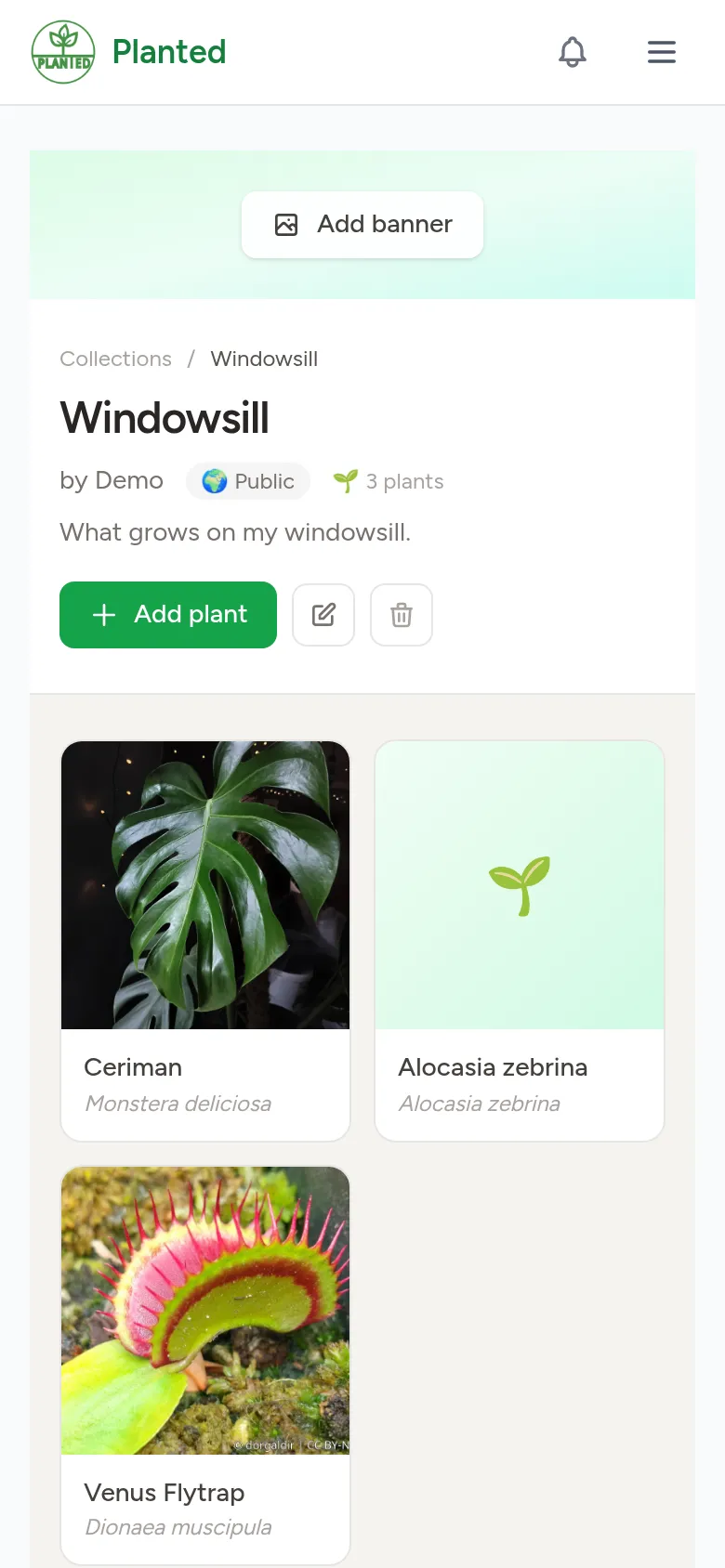
With Add banner you put a photo at the top of your collection. Click the photo to choose the focal point: that part always stays in view, even on a narrow screen.
Step 4
Share and discover
Public collections are listed under Popular collections, where others can view and like them. To share an unlisted collection, send the link.