Care log, schedules and reminders
Note what you do, plan watering and fertilising, and get a reminder when it is time.
Step 1
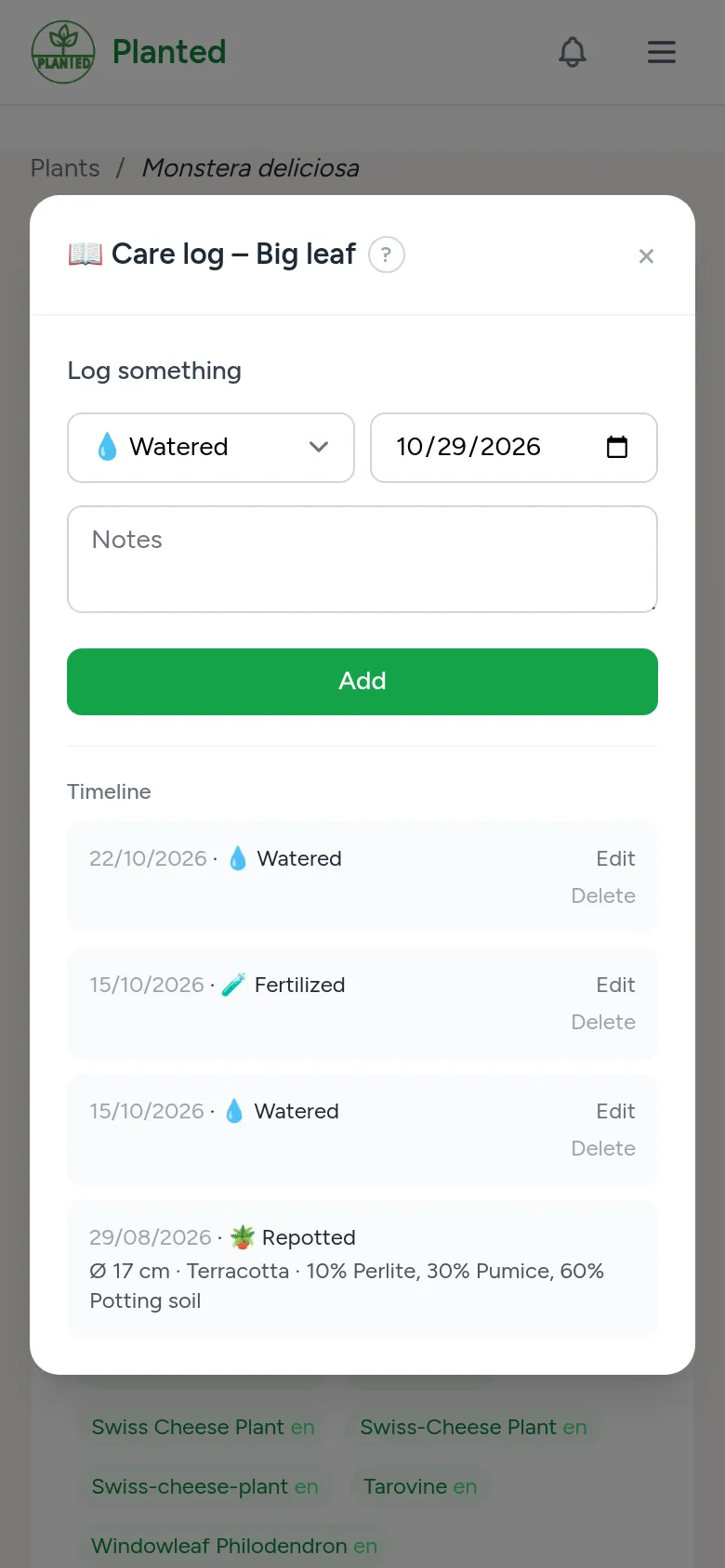
The care log
For a specimen, Care log opens the timeline. With Log something you note watering, fertilising (with a dose), pruning, pests and treatments, flowering, dormancy, pollination and more. The Water button logs watering in one click.
Step 2
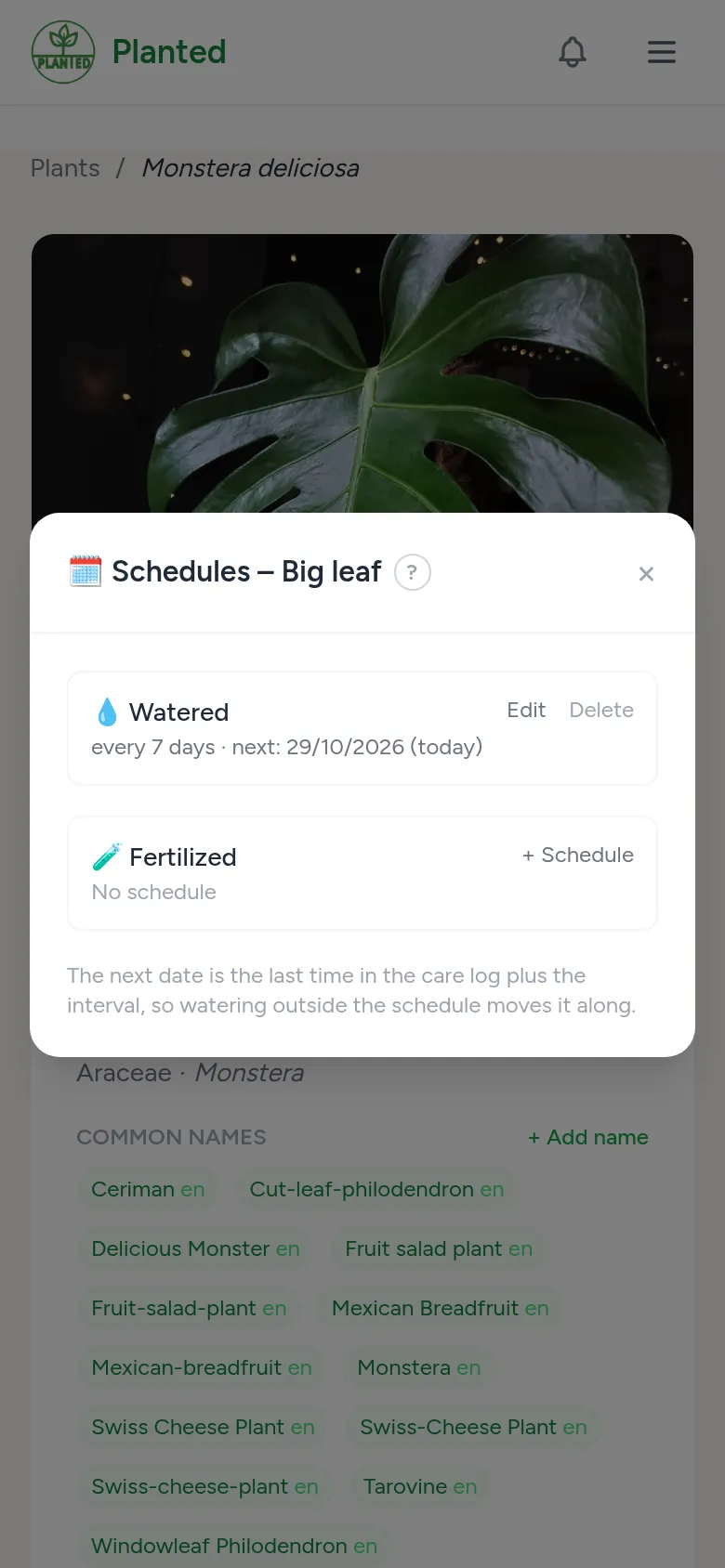
Schedules
Under Schedules you set every how many days a specimen needs water or fertiliser, optionally with another interval during dormancy. If the plant has care advice, a new schedule starts from those values. The next date follows from your care log.
Step 3
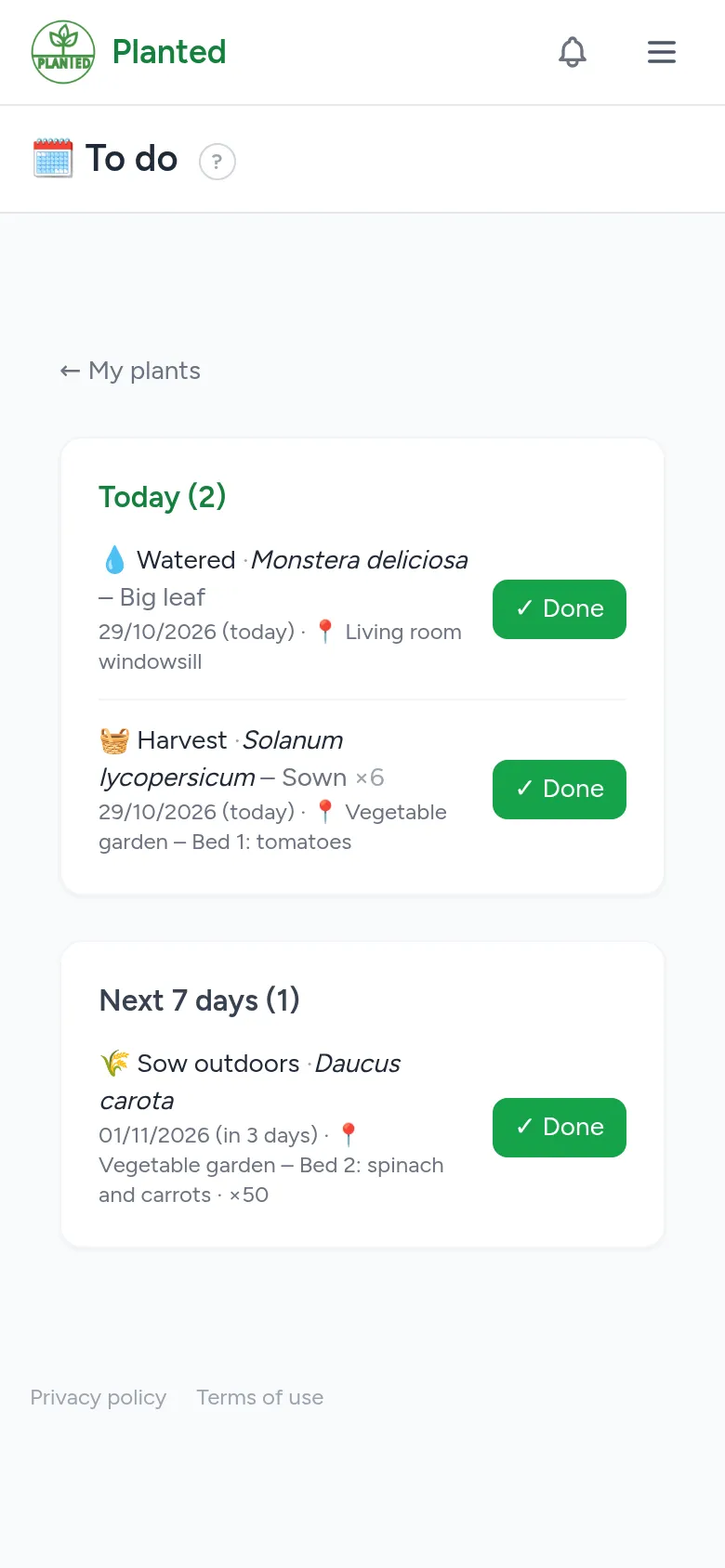
To do
To do shows what is due today and in the coming days, in the garden too. Done puts it straight into the care log.
Step 4
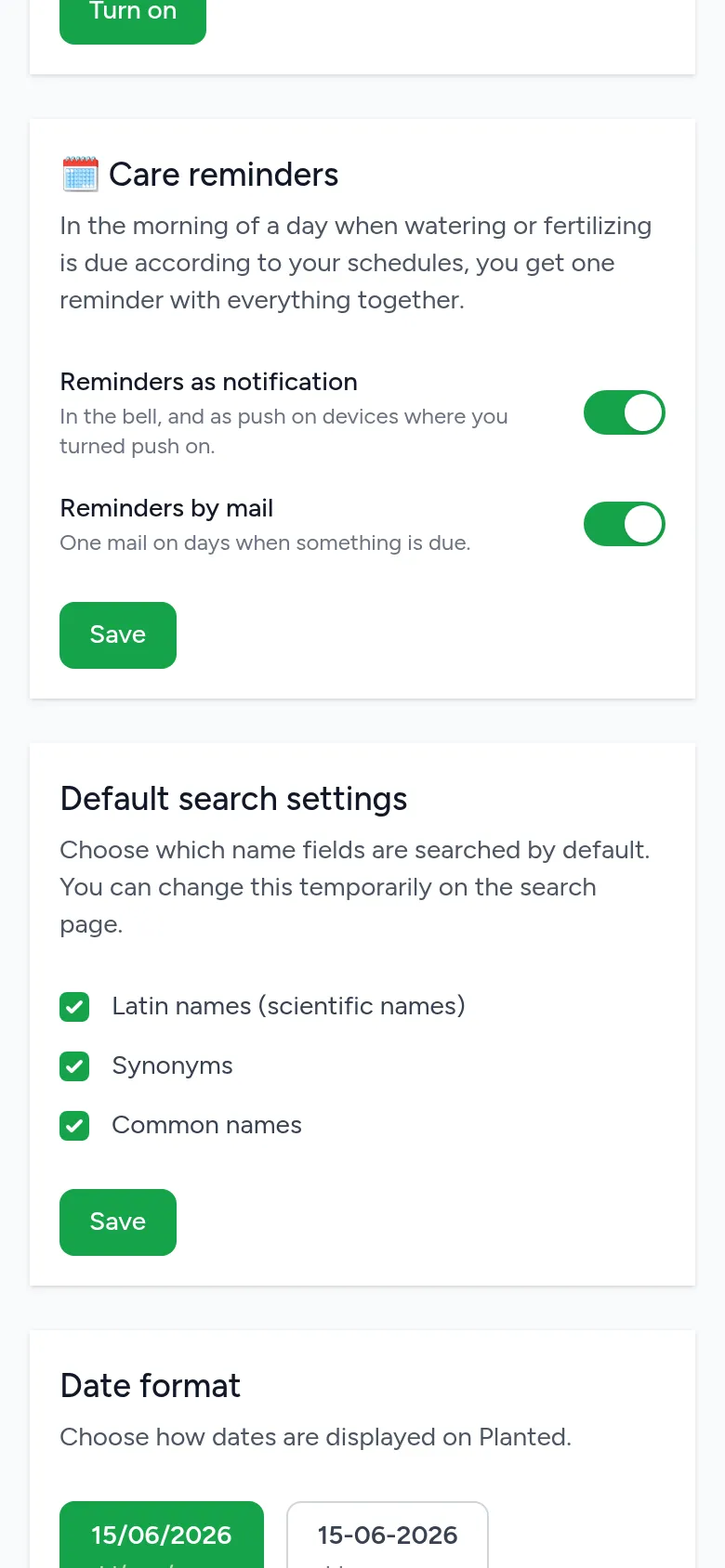
Reminders
Under Care reminders on your profile you choose whether you get a reminder in the morning as a notification, by email or both. You get at most one a day, with everything together.